
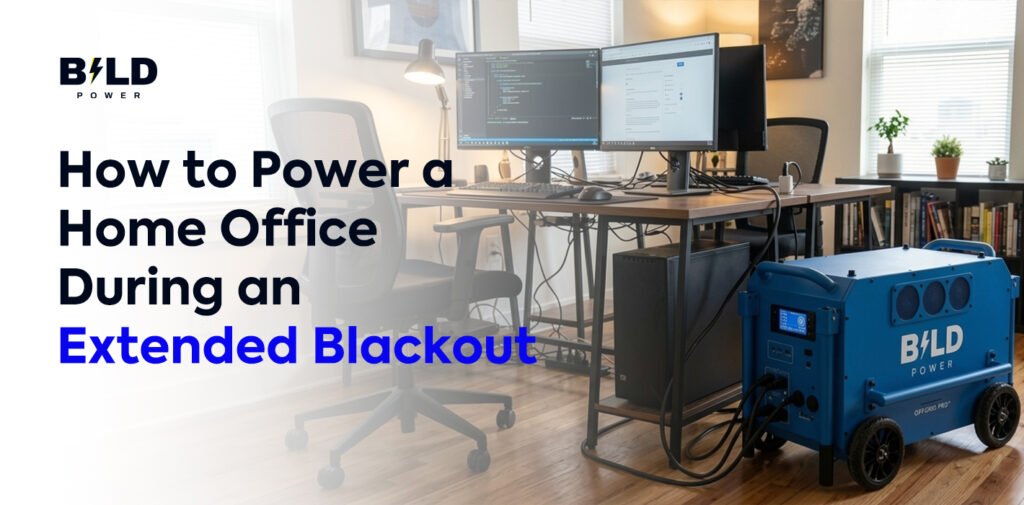
A power outage can instantly interrupt your ability to work from home. A laptop battery can drain, internet access can disappear, and important meetings can be canceled when your home office loses electricity. For remote professionals, even a few hours without power can affect productivity, deadlines, and communication.
This challenge is becoming more important for many homeowners dealing with Texas power outages caused by severe weather, extreme temperatures, and unexpected grid disruptions. Having a reliable work-from-home power backup plan allows you to keep essential devices running and continue working even when the electrical grid is unavailable.
The good news is that you do not always need a full-house generator to keep your office operational. A properly sized portable power station can provide enough energy for essential work equipment, including laptops, Wi-Fi routers, phones, and lighting.
Why Backup Power Is Important for a Home Office
Modern home offices depend on electricity for almost every task. Video conferences, cloud-based applications, online communication tools, and digital files all require a stable power source. When electricity goes out, the problem is not only losing lights; it is losing the ability to stay connected.
Texas homeowners can experience power interruptions during hurricanes, thunderstorms, winter storms, and periods of high electricity demand. While some outages may last only a short time, others can continue for many hours or longer.
A home office backup system provides an extra layer of reliability. Instead of waiting for power to return, you can keep your essential equipment running and continue important work without major disruption.
Understanding Your Home Office Power Needs
Before choosing a backup power solution, it is important to understand how much energy your workspace actually uses. Many people assume they need a large system because they have multiple devices, but most home offices only require power for a few essential items.
A typical remote worker may need electricity for a laptop, Wi-Fi router, smartphone charger, and a small desk light. Someone using a desktop computer with multiple monitors will require more capacity because those devices consume significantly more energy.
The best approach is to identify which equipment is necessary for your work and calculate how much power each device requires. This prevents buying a system that is either too small to be useful or larger than your actual needs.
Using a Portable Power Station for Home Office Backup
A portable power station is one of the most convenient options for keeping a home office running during a blackout. These battery-powered systems store electricity and provide power through standard outlets or USB ports.
Unlike traditional fuel generators, portable power stations operate quietly and do not produce exhaust fumes. This makes them especially useful for indoor work environments where noise can interfere with phone calls or online meetings.
For many remote workers, a portable power station can provide enough backup energy to keep a laptop charged, maintain internet access, and power essential accessories during an outage.
Choosing the Right Portable Power Station Size
The correct size depends on how many devices you need to operate and how long the blackout lasts. A smaller portable power station may be enough for someone who only needs to charge a laptop, phone, and router for a few hours. These systems are lightweight and easy to store, making them suitable for occasional outages.
For professionals who work longer hours or use additional equipment, a medium-capacity power station provides more flexibility. It can support a laptop, monitor, router, and other small office devices for a longer period.
Larger portable power stations are better suited for extended outages or more demanding setups. They can support higher energy requirements, including desktop computers and multiple monitors, but they are typically heavier and require a larger investment.
The key is not choosing the biggest battery available. It is choosing a system that matches your actual work requirements.
How to Calculate Backup Power Requirements
Calculating your energy needs is easier than many homeowners expect. Start by checking the wattage of your devices and estimating how many hours you use them during an outage.
For example, a laptop may use around 50 to 70 watts while operating. A Wi-Fi router may only require around 10 watts. If you use both devices for several hours, you can estimate the total watt-hours needed and select a portable power station with enough capacity.
Keep in mind that battery efficiency, device settings, and usage patterns can affect the actual runtime. A laptop running basic work applications will usually consume less energy than one performing demanding tasks.
Keeping Internet Access During a Blackout
Powering your computer is only part of the solution. A reliable internet connection is equally important for remote workers. Your backup plan should include a way to keep your router powered. Since routers generally use very little electricity, many portable power stations can operate them for extended periods.
It is also smart to have a backup internet option, such as a mobile hotspot, because a powered router cannot help if the internet provider’s network is also affected by the outage.
Common Mistakes When Preparing a Home Office Backup System
One common mistake is choosing a backup system without checking the power requirements of individual devices. Battery capacity is important, but the system must also provide enough output power to run your equipment.
Another mistake is trying to power unnecessary devices. During an outage, the goal is usually to maintain productivity rather than operate every piece of office equipment. Prioritizing your laptop, internet connection, and communication tools provides better efficiency.
Many homeowners also forget about recharge planning. During longer outages, having options such as solar charging or vehicle charging can extend the usefulness of your backup system.
Testing your equipment before an emergency is another important step. Knowing how long your system can run and how to connect your devices prevents problems when you actually need backup power.
Portable Power Station vs Generator for Remote Work
Traditional generators can provide significant power, but they often require fuel, produce noise, and need outdoor operation. For a home office environment, these factors can create challenges, especially during meetings or calls.
A portable power station offers quiet operation and simple setup, making it a practical choice for many remote workers. It is designed for electronics and smaller power needs rather than running an entire house.
The right option depends on your situation. A homeowner who only needs to maintain a workspace may prefer a battery-based solution, while someone needing whole-home electricity may consider larger backup systems.
How to Create a Reliable Work-From-Home Power Backup Plan
A good backup plan starts before an outage occurs. Keep your portable power station charged, store necessary cables nearby, and understand which devices should be connected first.
It is also helpful to keep important work files available offline when possible. Cloud storage is useful, but internet disruptions can limit access during emergencies. Preparing a simple backup routine ensures that you can transition from normal electricity to emergency power without losing valuable work time.
Frequently Asked Questions
How can I continue working during Texas power outages?
You can continue working during Texas power outages by using a backup power solution that supports essential office equipment. A portable power station can provide electricity for laptops, routers, phones, and other small devices.
What is the best work-from-home power backup option?
The best option depends on your equipment and outage duration. Many remote workers choose portable power stations because they provide quiet, reliable backup power without requiring fuel.
Can a portable power station run a Wi-Fi router?
Yes, most portable power stations can run Wi-Fi routers because they require relatively little electricity compared with larger electronic devices.
How long can a portable power station power a home office?
The runtime depends on the battery capacity and the devices connected. A system powering only a laptop and router will usually last longer than one supporting multiple monitors and high-power equipment.
Final Thoughts
Extended blackouts do not have to completely interrupt remote work. With the right work-from-home power backup solution, you can keep essential equipment running and stay connected during unexpected outages.
For many home offices, a portable power station provides a practical balance of convenience, reliability, and easy setup. The best choice depends on your workspace, energy requirements, and how long you need backup power.
Before the next outage happens, evaluate your equipment, calculate your power needs, and choose a backup solution that keeps your home office ready when the grid goes down.